Wiki to workflow.Agent 驱动文书工作。
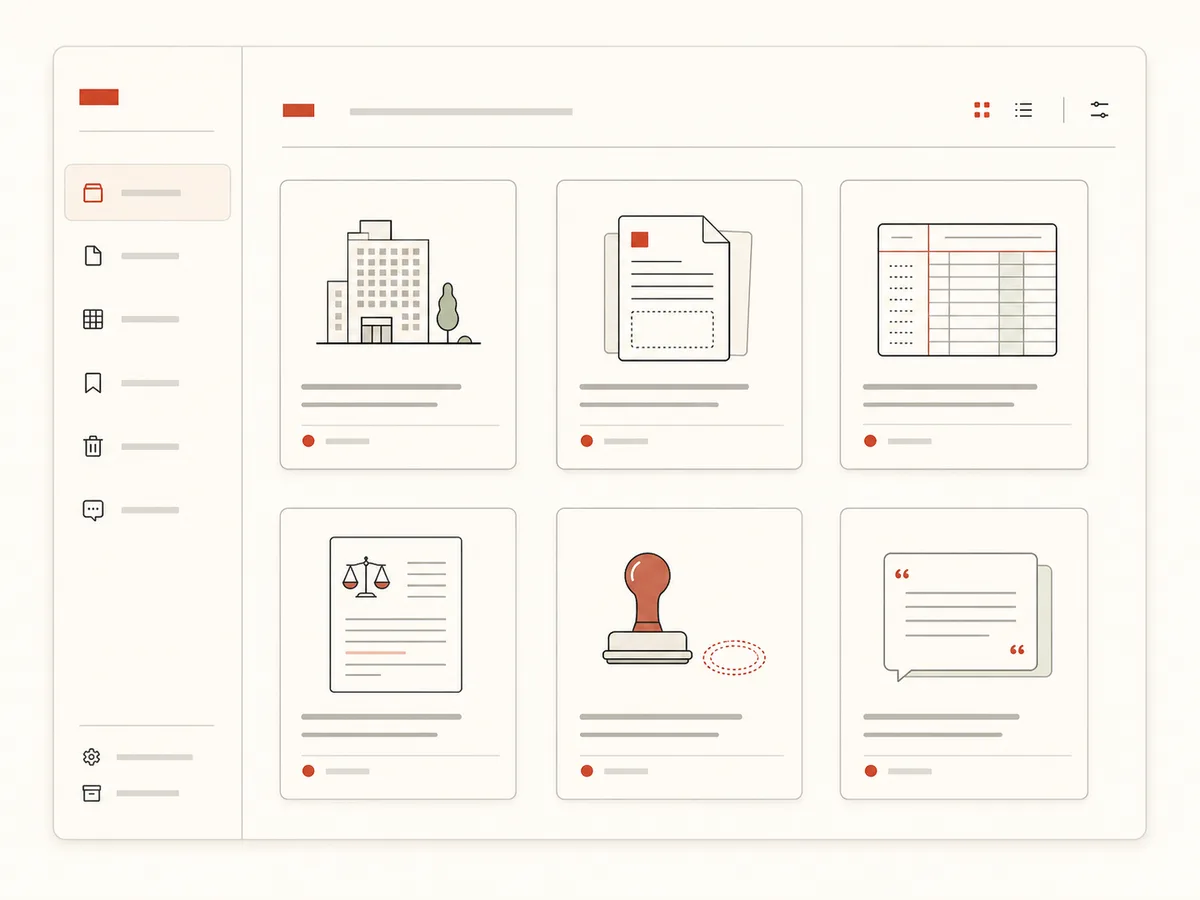
WikiCopilot is an AI document-agent workbench for writers, admins, and office staff. The left side holds company info, templates, ledgers, seals, and other assets; the center is the current document; the right-side agent uses tools to drive drafting, filling, review, stamping, and export until the document is ready to deliver.
公司信息、公文模板、历史台账,一次沉淀成只属于你的知识库。
Assets · document workspace · agent conversation, reorganized for real document work
Proof points
What the MVP workbench already proves
MVP-proven workbench capabilities, without fake operating numbers
Assets / workspace / agent conversation
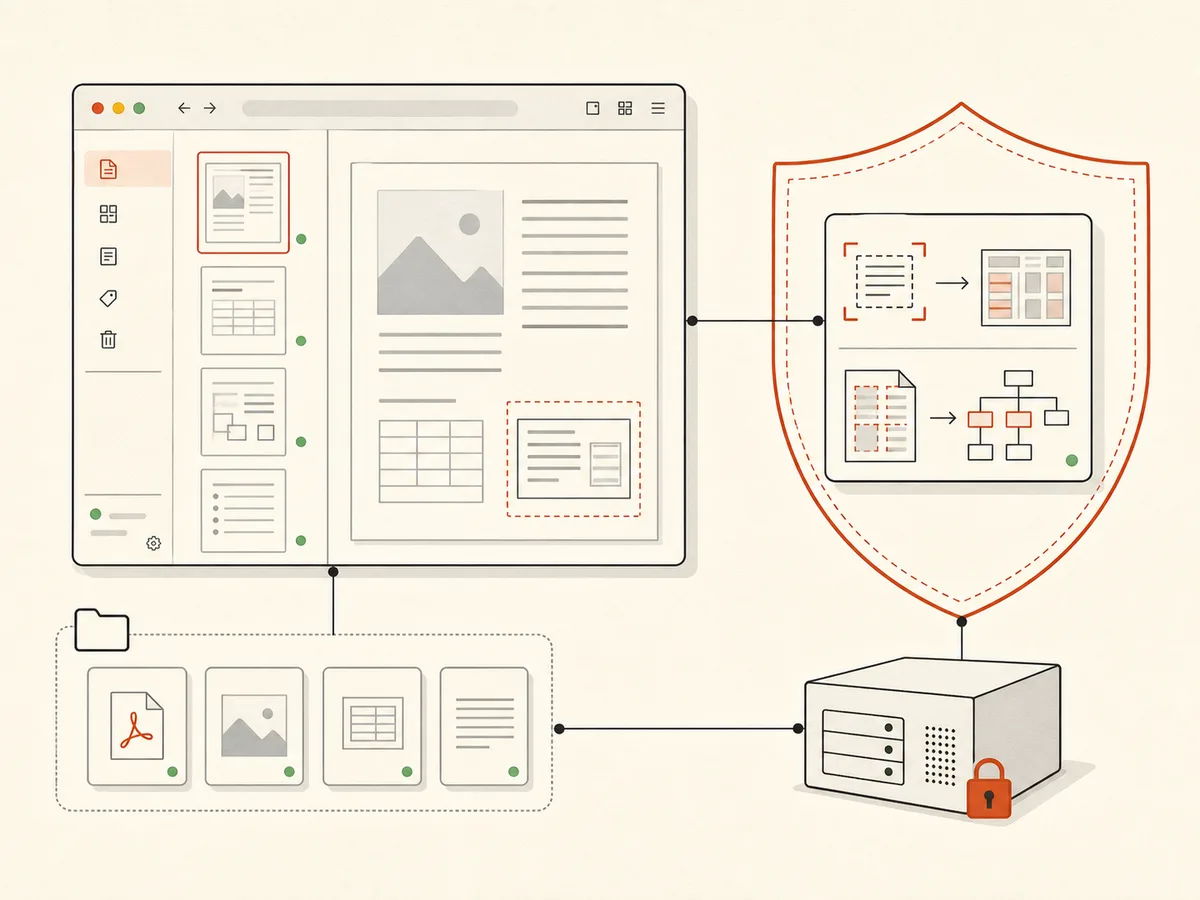
PDFs and seals are local-first
Agent actions enter the undo stack
Platform-Proxied LLM · You Only See Credits
China-Compliant · Server-Side Auth · Swappable Upstream
WikiCopilot proxies every LLM call server-side — you never configure a key or see the upstream. DeepSeek powers it today (China-compliant, best value); ops can swap the upstream anytime, transparently to users.
DeepSeek (default)
China-compliant high-accuracy model, about ¥0.007 per document task. Proxied by the platform and billed in Credits, 1 credit per chat turn.
Self-hosted PaddleOCR PP-StructureV3
Chinese layout-analysis OCR, self-hosted and never leaves your network. Reads contracts, forms, and ledgers to locate fields and signature/seal spots.
Three-layer trust boundary
L1 platform stores no source text / L2 the LLM sees only OCR snippets / L3 the raw file never leaves your browser. See the docs for details.
Private deployment (sensitive documents)
Install the full WikiCopilot stack — knowledge base + document engine + PaddleOCR + LLM — inside your own network. Once Phase D ships E2E encryption, the hosted deployment defaults to encrypted storage too.
One agent drives the whole document workflow
Knowledge assets · document workspace · agent conversation · delivery
Hand the document knowledge scattered across your computer and memory to the AI copilot that knows you best.
One agent drives the whole document workflow
Hand the document knowledge scattered across your computer and memory to the AI copilot that knows you best.
Why WikiCopilot
Local-first · plain talk for office workers
No SaaS buzzwords — just real answers for writers, admins, and office staff.
Why WikiCopilot
No SaaS buzzwords — just real answers for writers, admins, and office staff.
- Knowledge that compounds — it gets to know you (company materials, templates, ledgers in one place)
- Local-first data (files / seals in the browser; the backend keeps no source text)
- China-compliant LLM + self-hosted Chinese-layout OCR, runs fully in China
- Undo stack with ⌘Z (take back any AI mistake)
Document work, every scenario covered
The high-frequency day-to-day of finance, admin, secretarial, and delivery teams
From writing a report and filling a ledger, to placing a perforation seal across a contract.
Drafting documents & reports
Requests, reports, notices, letters, plans — the agent reads templates and knowledge assets, creates a draft in the workspace, then keeps revising through conversation.
Filling forms & ledgers
Procurement, reimbursement, and asset ledgers filled automatically — aligned and traceable. No more cell-by-cell typing.
Contract stamping & signing
"Stamp the buyer slot with the contract and legal-rep seals" — the AI finds the spot and places it, done in 10 seconds.
Perforation seals on long contracts
"Place a perforation seal on this 30-page contract" — the agent handles splitting, alignment, and placement without manual page math.
Smart placement on scans
PaddleOCR recognizes signature lines / seal areas / form fields, so even scans are handled precisely.
One place for your knowledge base
Templates, seals, standard phrasing, and past ledgers in one place — shared across the team. The more you save, the easier it gets.
China-hosted LLM proxy + self-hosted OCR · data you control
LLM calls are platform-proxied (you hold no key), raw files stay in the browser, OCR runs on a service you or we control, and the business database keeps no source text.
FAQ
Answers for writers, admins, and office staff
Open the agent-driven document workbench
The PDF stamping workflow is available now. Knowledge base, drafting, and form-filling workflows will keep moving into the same workbench.